InfraSOS documentation
Monitor, audit and secure your identity infrastructure. Documentation for the InfraSOS product family. 365 Command is available now; AD Command and AD Command Pro are in development, with placeholder pages so the structure of this site stays honest about what exists.
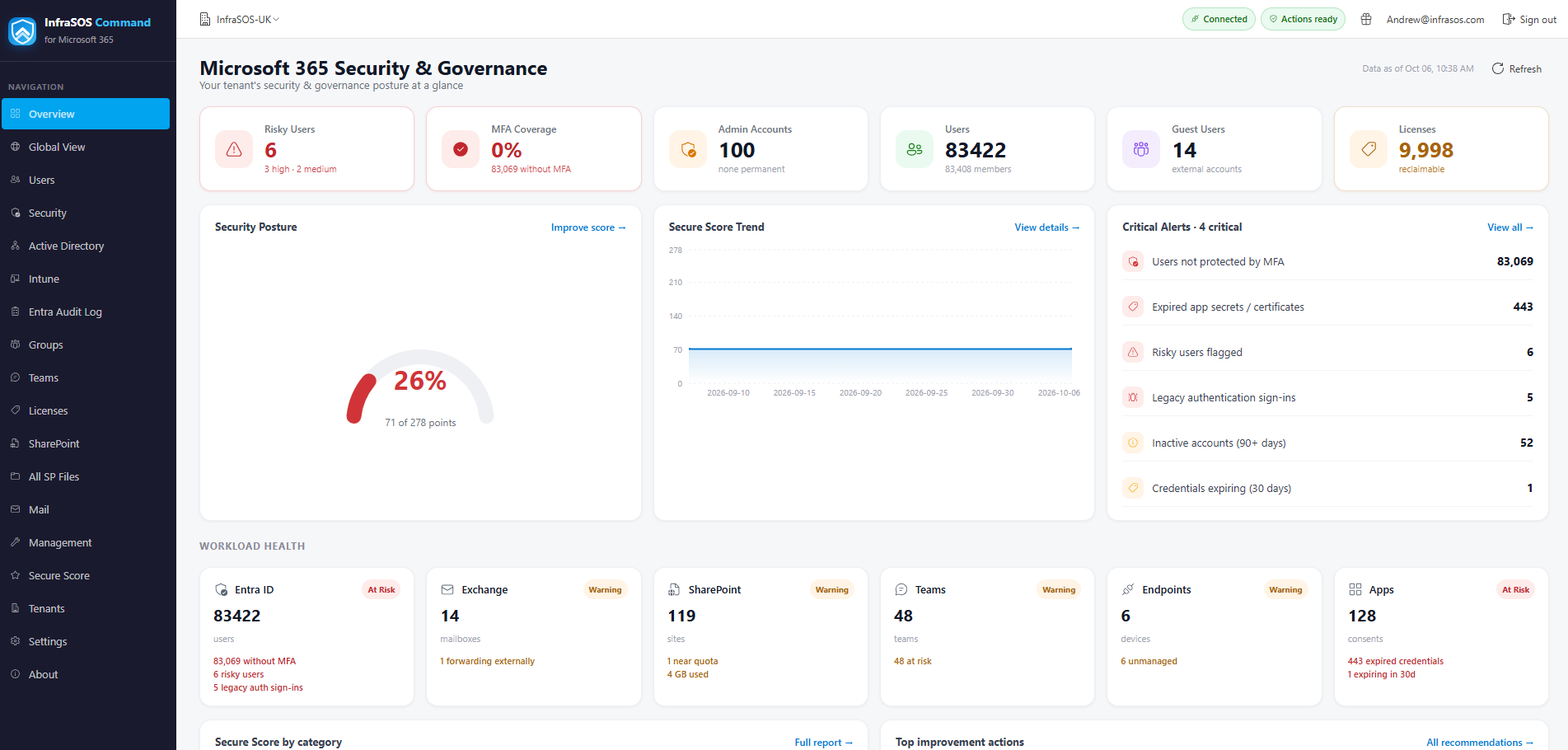
365 Command: Microsoft 365 and Entra ID reporting and management, at command.infrasos.com.
Where do you want to start?
-
AD Command In development
Deployment, security assessment, health and monitoring for Active Directory, running on a domain controller. Distributed as an AWS Marketplace AMI and billed on instance usage.
-
AD Command Pro In development
Everything AD Command does, plus directory management - unlock, reset, enable and disable accounts, group membership and attribute edits - on a domain-joined member server.
-
365 Command Available
Microsoft 365 reporting and management. A separate product rather than a module of the others, because it authenticates to a different directory and shares no deployment model with them.
-
Support
What to try first, what the support bundle contains and what it deliberately does not, and how to reach us.
What 365 Command does
-
Report on your whole Microsoft 365 estate
Users, guests, licences, groups, Exchange Online mailboxes, Microsoft Teams, SharePoint, OneDrive and Intune devices. Surface inactive accounts, unused licences and access risks, then export to CSV, Excel or PDF, or schedule a report by email.
-
See your security posture at a glance
Microsoft Secure Score, MFA registration and Conditional Access coverage, risky users, legacy authentication and privileged accounts - with the findings that need attention surfaced first.
-
Act without PowerShell
Onboard and offboard users, reset passwords and MFA, and manage licences, groups and directory roles - individually or in bulk - taken straight from the report, with per-action permission controls.
-
Alerts and scheduled reports
Be told about new administrators, guest accounts and risky users, and watch MFA coverage, Secure Score and licence thresholds. Have any report delivered to your inbox on the cadence you choose.
-
Manage every tenant from one console
Connect multiple Microsoft 365 tenants and compare their security posture, findings and trends in the MSP Global View. Delegate access with administrator, operator and viewer roles.
-
Secure by design
Hosted in Microsoft Azure, read-only by default, with reporting and management permissions split across separate Microsoft Entra applications. Consent is granted per tenant and can be revoked at any time.