InfraSOS documentation
Monitor, audit and secure your identity infrastructure. Documentation for the InfraSOS product family. AD Command and 365 Command are available now; AD Command Pro is in development, with a placeholder page so the structure of this site stays honest about what exists.
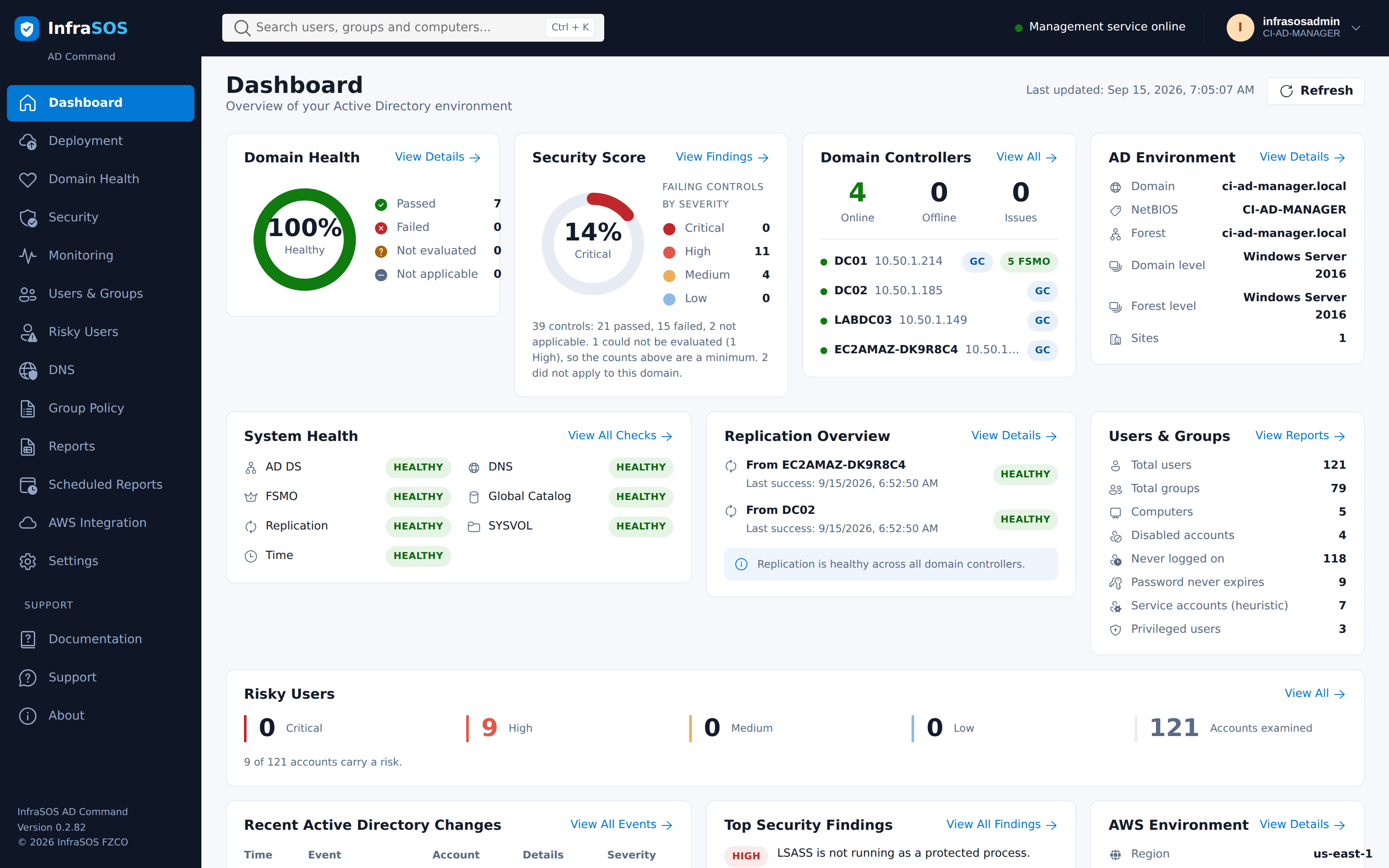
The AD Command dashboard, running on a live domain controller.
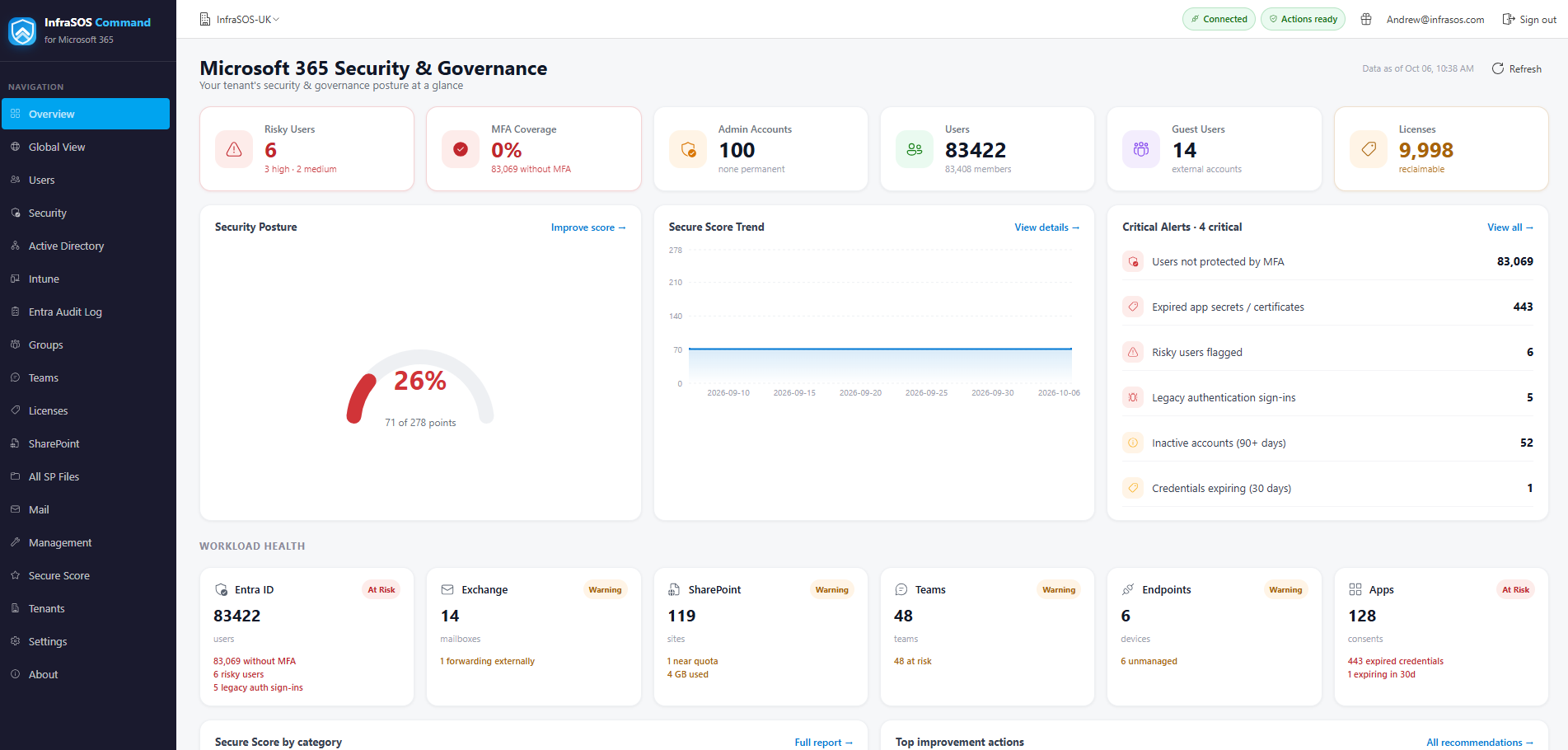
365 Command: Microsoft 365 and Entra ID reporting and management, at command.infrasos.com.
Where do you want to start?
-
AD Command Available
Deployment, security assessment, health and monitoring for Active Directory, running on a domain controller. Distributed as an AWS Marketplace AMI and billed on instance usage.
-
AD Command Pro In development
Everything AD Command does, plus directory management - unlock, reset, enable and disable accounts, group membership and attribute edits - on a domain-joined member server.
-
365 Command Available
Microsoft 365 reporting and management. A separate product rather than a module of the others, because it authenticates to a different directory and shares no deployment model with them.
-
Support
What to try first, what the support bundle contains and what it deliberately does not, and how to reach us.
What AD Command does
-
Detect security risks
Scan your domain controllers against thirty-nine Active Directory controls covering privileged access, delegation, Kerberos, LDAP, password policy and auditing. Every finding carries the evidence behind it and remediation written as steps.
Framework references are mappings, not a certification claim.
-
Monitor the events that matter
Privileged group changes, account lockouts, failed sign-ins and directory changes - each one explained rather than listed.
Read from this controller's Security log. Event logs do not replicate, and the console says whose log it is reading rather than implying the whole domain.
-
Report on users, groups and access
Account risk, privileged access, password expiry, delegation, LAPS coverage, group hygiene, stale computers and Group Policy. Exportable, and schedulable by email through your own SMTP relay.
-
Deploy and keep it healthy
Promote a new forest or an additional controller with preflight checks and a promotion that survives the reboot, then watch replication, FSMO roles, the global catalogue, DNS, time and SYSVOL.
-
It does not change your directory
Every operation is a read. No code path writes to Active Directory, so there is no operation to undo and no delegation to get wrong. Directory management is AD Command Pro, which runs where Active Directory can enforce what it may do.
-
It says when it does not know
A control that could not read its setting reports Unknown and caps the score rather than passing. It never reports a pass it did not measure, and it ships its own documentation because a domain controller has no route to the Internet.
These guides also ship inside the product
A domain controller usually has no route to the Internet, and that is the correct configuration rather than an obstacle to work around. So AD Command carries its own copy of this documentation and renders it locally, under Documentation in the console.
This site is the same content with search and a table of contents. If you are reading it because something is wrong with a domain controller, the copy on the machine itself will work when this one does not.