Scheduled reports
Any of the core reports can run unattended and arrive by email on a schedule, so a weekly licence review or a monthly stale-account sweep lands in an inbox without anyone opening the console. Scheduled Reports in the navigation lists what is scheduled, when each next runs, and whether the last one was sent.
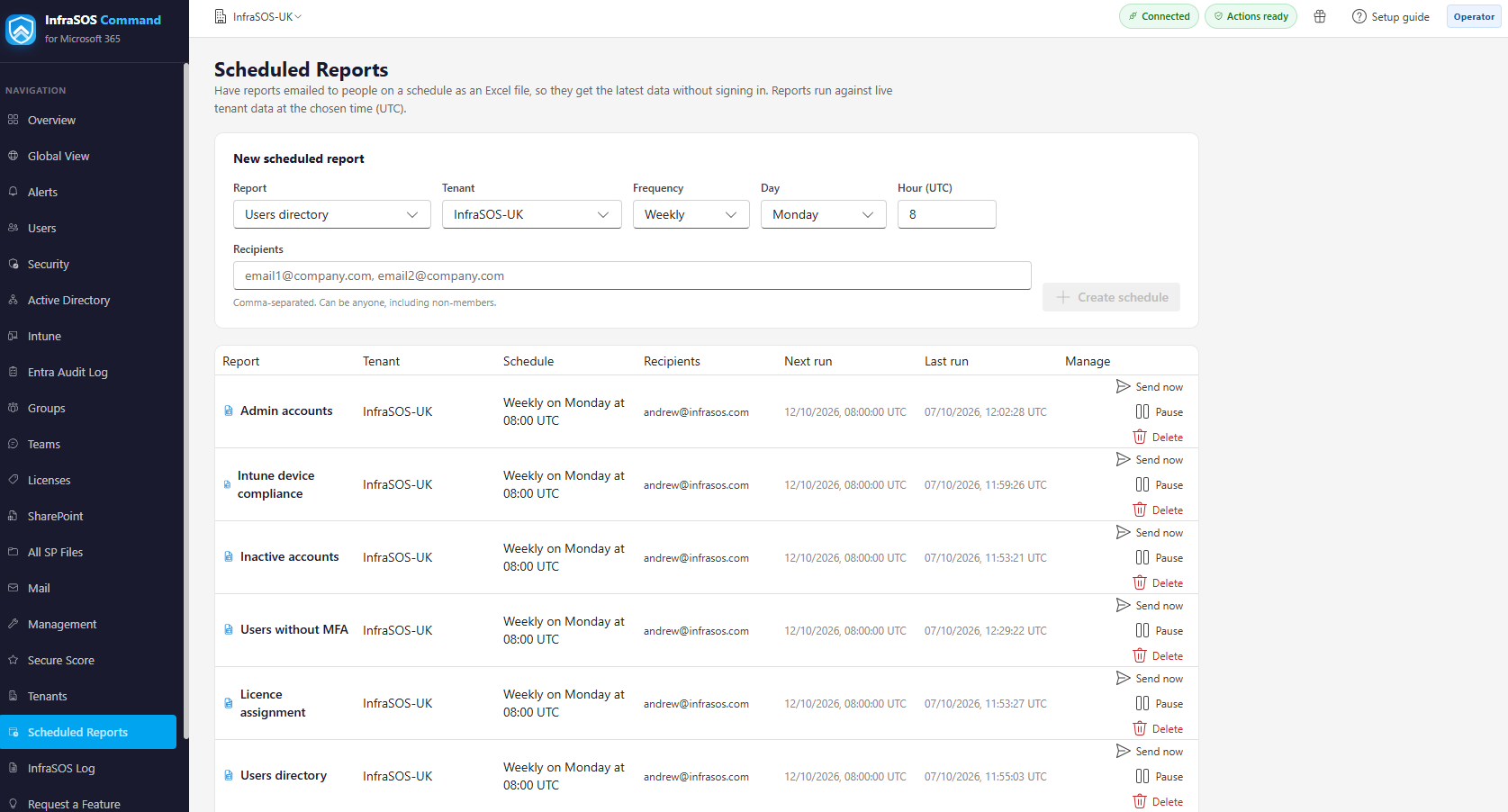
Scheduled Reports: the new-schedule form, and the list showing each schedule's next run, last run and controls.
Creating a schedule
Choose the report and the tenant, pick the cadence and time, and add recipients.
The reports you can schedule:
| Report | Covers |
|---|---|
| Users directory | Every account, with type, status, licensing and department |
| Licence assignment | Each SKU, with assigned, total and available seats |
| Admin accounts | Who holds a directory role, and which |
| Users without MFA | Accounts that are not MFA-capable |
| Inactive accounts | Accounts by days since last sign-in |
| Secure Score actions | The recommended improvement actions, ranked |
| Intune device compliance | Managed devices and their compliance state |
- Cadence is daily, weekly or monthly, at a time you choose.
- Times are UTC, and the form says so, so a schedule means the same thing wherever the person setting it up happens to be.
- Recipients are any email addresses, comma-separated - they do not have to be console users.
What arrives
An Excel (.xlsx) attachment, with the message naming the tenant, the report and the row count. The export is the full report, not a preview: it carries up to 100,000 rows, and says so if a very large report is truncated at that limit.
Scheduled reports contain directory data
An export can include names, email addresses and sign-in detail. Pick recipients the way you would for any extract of directory data, and remember a schedule keeps sending until you pause or delete it.
Delivery
Reports are sent from InfraSOS - there is no relay for you to configure. If a report is slow to arrive, lands in Junk, or does not come at all on a newly set-up tenant, the cause is almost always Microsoft 365 mail filtering deferring mail from a sender it has not seen before.
Allow-list the sender
Add the sending domain mail.infrasos.com to your mail filtering so scheduled reports (and
alerts) are delivered promptly rather than deferred or junked.
Managing schedules
The list shows every schedule with its next run and the result of the last one. From there you can:
- Run now - send immediately, through the same path as a scheduled run, to confirm it works.
- Pause and resume a schedule without deleting it.
- Delete a schedule you no longer need.
Who can create them
Scheduling is for Admins and Operators. Viewers are read-only and do not see the Scheduled Reports page. See Team and delegated access.