Management actions
Management is what separates 365 Command from a reporting tool: you can act on what a report shows, safely, from the same console. It is off until you turn it on, granted per tenant, and every change is confirmed and recorded. Enabling it is covered in Connecting tenants; the permissions and directory roles it needs are in Permissions.
How actions stay safe
- Opt-in per tenant. Nothing can change a tenant until an administrator consents the management application for it.
- Gated per action. Each action is offered only when the specific permission (and, for account and role changes, the directory role) it needs is present. A tenant missing one keeps every other action working and sees only that one disabled, with the reason.
- Confirmed. A destructive action always asks first, and the confirmation names the person or object and spells out the consequence.
- Recorded. Every action is written to a per-tenant audit trail: who did it, what, to whom, and the result. The trail cannot be edited or deleted.
Where actions appear
- On a report row. The Actions menu on a user, group, device, policy or app row runs the actions that apply to it.
- The Management console. A console view with headline KPIs, a needs attention list of accounts worth acting on, quick actions, and a bulk operations tab.
- In bulk. Filter a report to the accounts you mean, select them, and run one action across the selection, with a per-row result so you know exactly what happened to each.
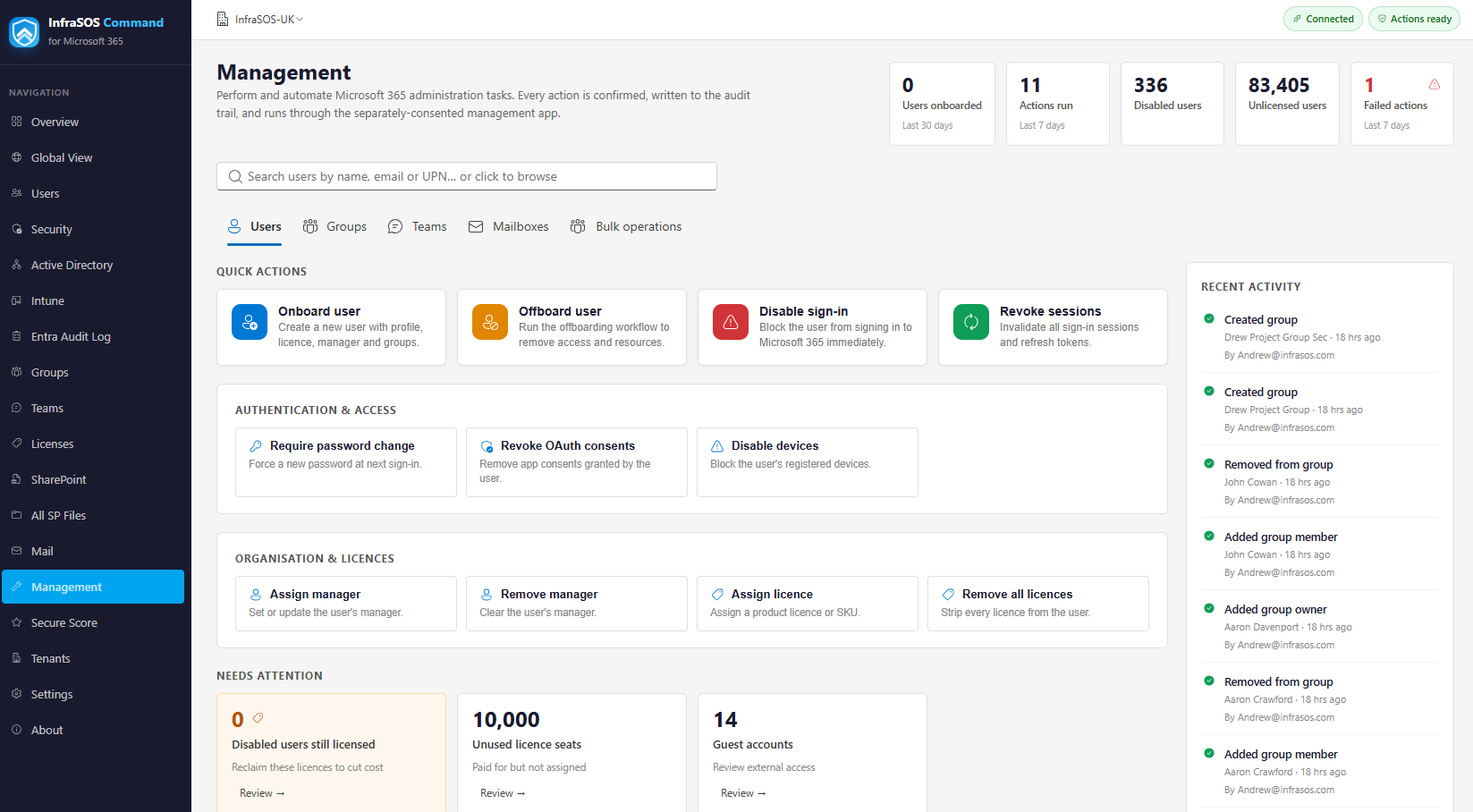
The Management console: headline KPIs, a needs-attention list, quick actions and bulk operations.
Everyday actions
Disable or enable an account, revoke sign-in sessions, require a password change, remove licences, add or remove group members, create or delete a group, archive a team, revoke an app consent, disable or delete a device, change a Conditional Access policy's state, remove an application credential. Each needs its matching permission from Permissions.
Onboarding a starter
The onboarding wizard creates a new user in one guided flow: the account and its sign-in domain, the manager, the licences to assign, and the groups and teams to add them to - so a starter is productive without a checklist of separate tasks.
Offboarding a leaver
The offboarding wizard runs the whole leaver process from one panel, each step optional and confirmed: block sign-in, revoke sessions and reset the password, reassign owned groups and direct reports, remove inbox rules, revoke app consents, disable devices, and reclaim licences. Mailbox steps that depend on Exchange Online (convert to shared, delegate access, set an out-of-office, hide from the address list) are rolling out as the Exchange integration lands.
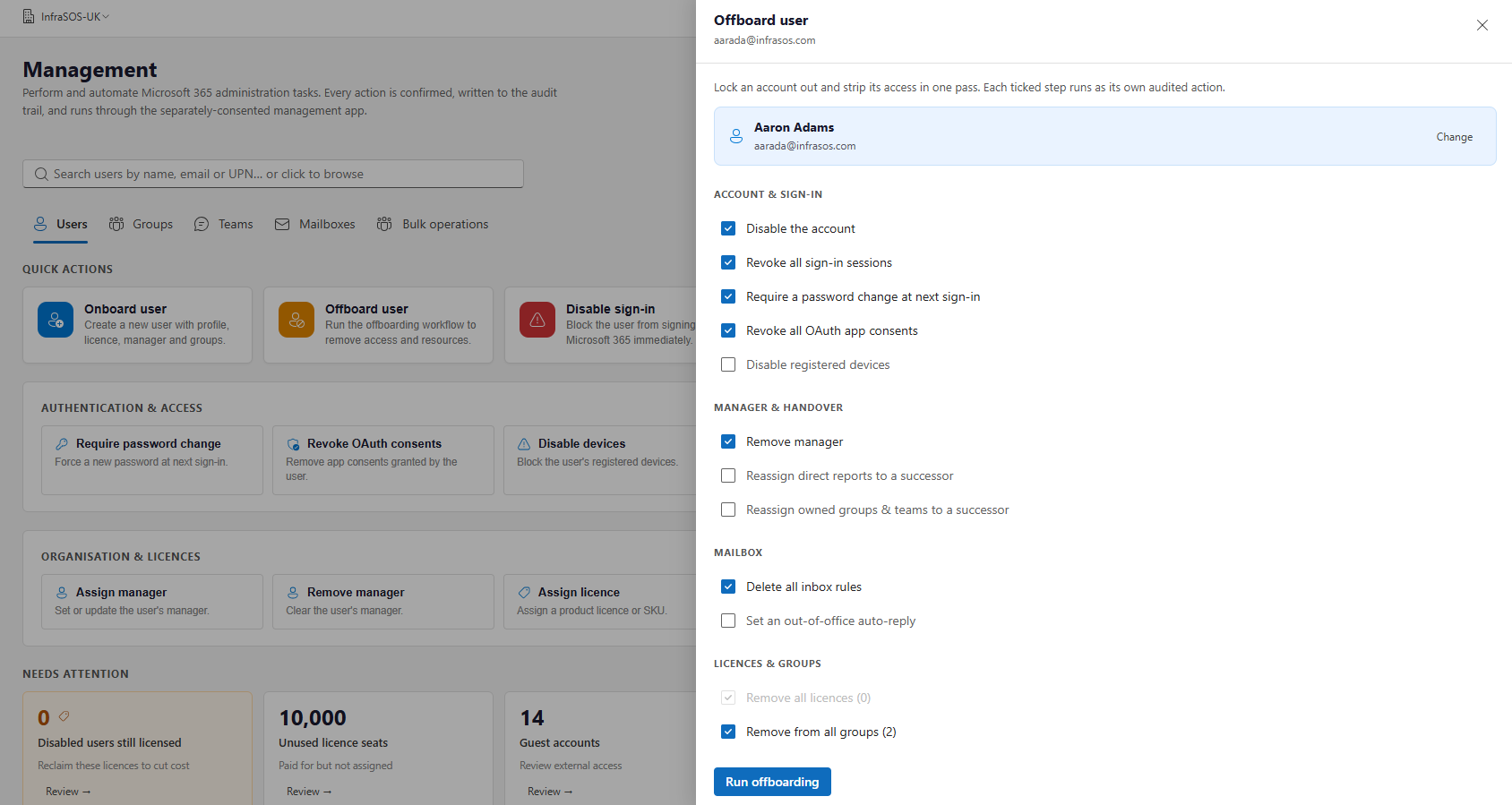
The offboarding wizard: each leaver step optional and confirmed.
Role and MFA actions
Three actions act on a user's privileges and need a directory role beyond the baseline:
- Reset MFA removes a user's registered authentication methods so they must re-register. Needs
UserAuthenticationMethod.ReadWrite.Alland the Authentication Administrator role (Privileged Authentication Administrator if the account is itself an administrator). - Assign directory role grants a role to a user from a searchable picker of every role. Needs
RoleManagement.ReadWrite.Directoryand the Privileged Role Administrator role. - Remove directory role removes a role the user currently holds - the picker lists only the roles
they have. Needs the same
RoleManagement.ReadWrite.Directorypermission and Privileged Role Administrator role.
All three are available on a user row, in the Users bulk menu, and on the Management console. In bulk, Assign and Remove ask for one role and apply it across the selection (users who do not hold the role on a Remove are reported as not changed). They are deliberately advanced: a tenant can run every other action without granting them, and when one is attempted without its role the failure names exactly which role to assign. See Permissions → Directory roles.
The audit trail
The Audit view lists every management action taken through 365 Command for a tenant, newest first, with the operator, the action, the target and whether it succeeded. Because delegation to a team should never mean losing track of who did what, the trail is immutable.