Intune
The Intune page pulls the answers that matter about your managed devices into one place, rather than spread across the Intune admin center: how many devices are enrolled, how many are compliant, and which ones need attention now.
What it shows
- Managed devices. One inventory across Windows, macOS, iOS and Android, with ownership, enrollment type, last check-in, and compliance and encryption state per device. Click any device for its full detail - identity, hardware (model, serial, storage), OS, compliance and security (grace period, encryption, jailbreak, threat state) and management (agent, Entra registration, enrolment and last check-in).
- Compliance. The compliant, in-grace and non-compliant split, with a breakdown of what is driving it.
- At risk. The endpoints to act on first - non-compliant, gone quiet, unencrypted, or jailbroken and rooted - each with the reason it was flagged.
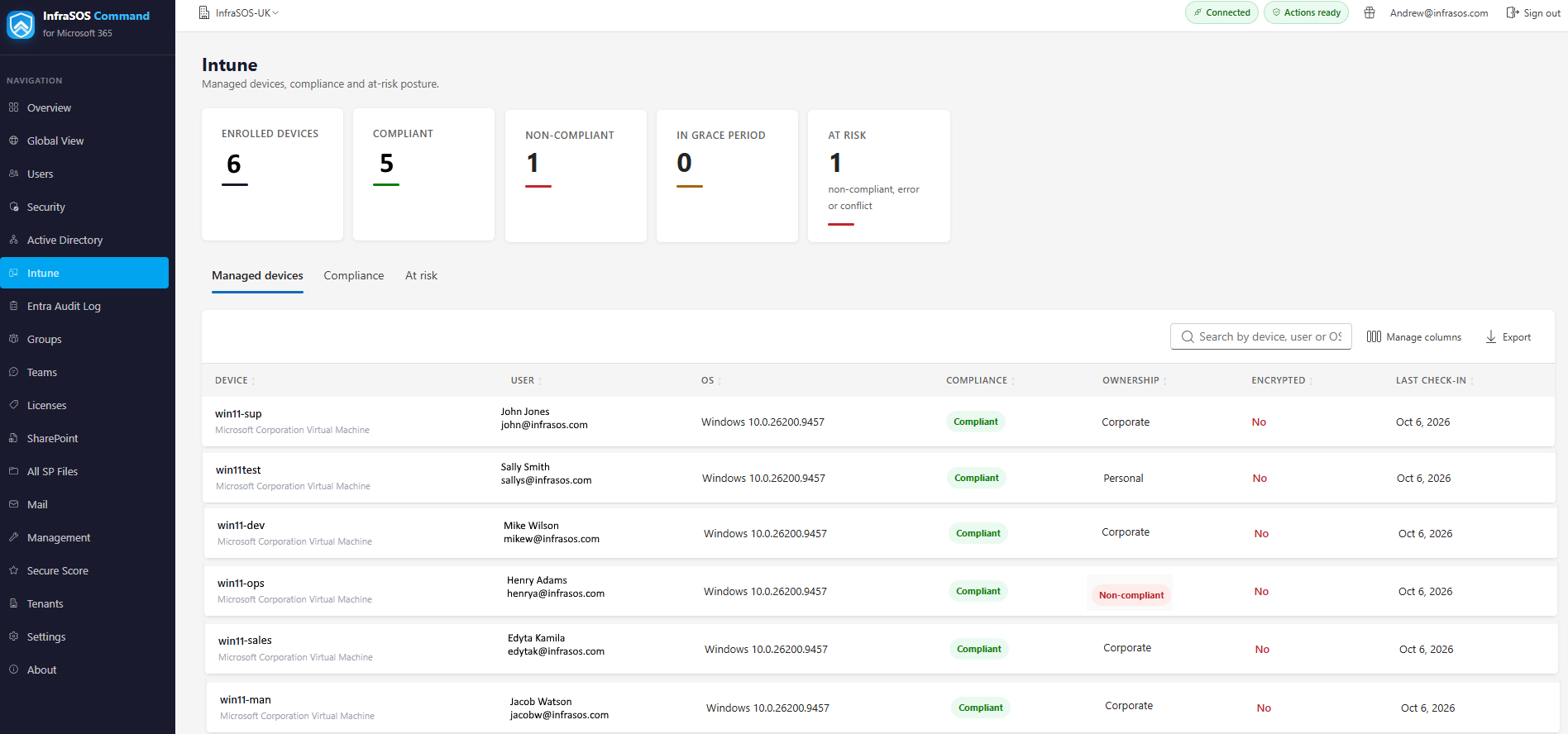
Managed devices with compliance and the at-risk endpoints in one place.
Requirements
The Intune page needs two things in the tenant:
- The reporting application must hold
DeviceManagementManagedDevices.Read.All(added to the reporting app and picked up with Refresh permissions). - The tenant must be licensed for Intune.
No devices are ever invented
Until both are true, the page shows an honest panel explaining which one is missing - the permission to grant and refresh, or that the tenant is not licensed for Intune - rather than a list of mock devices. A tenant with no Intune does not read as "zero devices"; it reads as "not licensed for Intune".
In the Global View
Each tenant's Intune-enrolled device count also appears as a column in the MSP Global View, greyed with "not licensed for Intune" where that applies, so a blank there means the same honest thing.