365 Command
365 Command is a hosted console that reports on and manages Microsoft 365 and Entra ID. You connect a tenant with admin consent and work from a browser at command.infrasos.com - there is nothing to install, and no agent or script runs anywhere in your environment.
It is read-only by default. Reporting needs only read access. Management - the actions that change a tenant - runs through a separate application that an administrator opts into per tenant, so no customer is shown a write-access consent screen they did not ask for. See Permissions for exactly what each side requests.
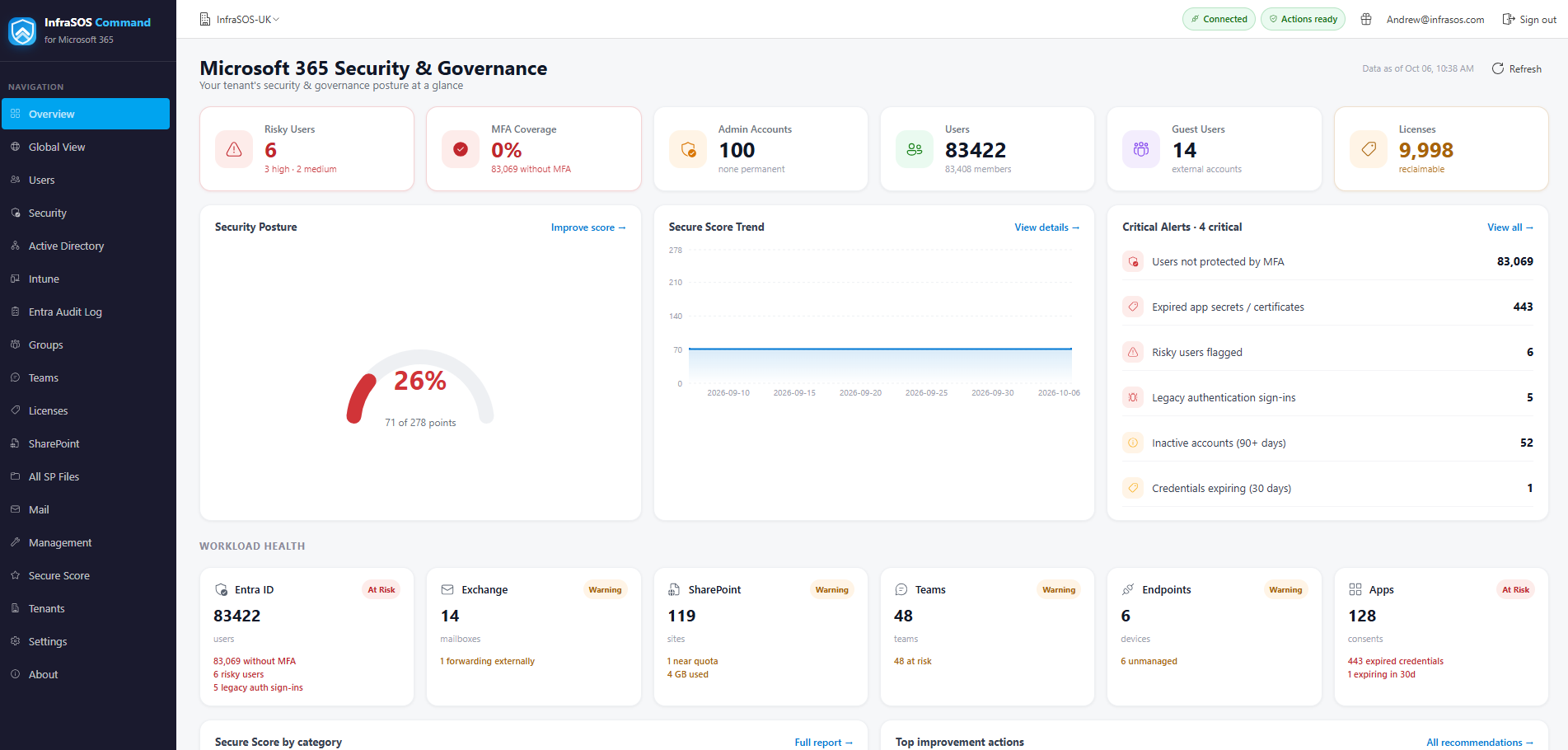
The overview: a connected tenant's headline counts and what most needs attention.
What it does
- Reporting. Users, licences, groups, mailboxes and mail flow, Teams, SharePoint and OneDrive, guests and devices - filterable, with chooseable columns, and exportable to CSV, HTML or PDF.
- Security posture. Microsoft Secure Score with a trend, MFA coverage, risky users, Conditional Access, admin exposure and the apps users have consented to, ranked so the biggest risks rise to the top.
- Intune. Managed devices, compliance state and the endpoints that need attention, pulled into one place rather than spread across the Intune admin center. See Intune.
- Management. Disable or enable accounts, revoke sessions, reset passwords, manage licences and group membership, onboard a starter and offboard a leaver through guided wizards, and run the same actions in bulk. Every change confirms first and is written to an audit trail. See Management actions.
- Scheduled reports. Have any core report arrive by email as an Excel attachment on a daily, weekly or monthly cadence. See Scheduled reports.
- Alerts. Be emailed when something changes - a new administrator or guest, a risky user, or MFA coverage, Secure Score or licence seats crossing a threshold - with acknowledge, resolve and a cross-tenant dashboard. See Alerts.
- MSP Global View. One command centre across every connected tenant: priority actions, a sortable tenant table, fleet trends and cross-tenant recent changes. See MSP Global View.
- A team, with roles. Invite colleagues with an Admin, Operator or Viewer role and optional per-tenant scope, rather than sharing one login. See Team and delegated access.
What it deliberately does not do
- It does not change anything until you opt in. A tenant you connect is read-only. Management actions require a second, separate consent, and even then each action is gated on the exact permission it needs - so an unconsented action shows disabled with its reason rather than failing.
- It runs nowhere near your network. Everything is read on demand through Microsoft Graph. There is no connector to deploy, no service account to create and no inbound access to grant.
- It does not invent data. A figure it cannot compute - because a permission is missing, a licence is absent, or Graph returned nothing - renders as a greyed Unavailable with the reason, never as a zero or an estimate.
- It is not for on-premises Active Directory. That is a different product with a different deployment model: see AD Command for reporting and security on a domain controller, and AD Command Pro for directory management.
How it is hosted
365 Command is hosted by InfraSOS. You subscribe once (through the Microsoft commercial marketplace or directly, with a 30-day trial), then connect one or more customer tenants by admin consent. Reports are read live from Graph and cached briefly in memory to keep the console responsive. What is kept is the configuration the console needs to run - your subscription, the tenants you have connected, the colleagues you have invited and their roles, the alert and report schedules you set up, and the audit trail. It keeps no tenant credentials or access tokens (sign-in happens on demand) and no bulk copy of directory data - a report is read when you open it, not warehoused. The one place directory identifiers are retained is an alert's own detail (the item it fired on), kept for 60 days. See Permissions for what the product reads.
Where to start
New to the product: Getting started, then Connecting tenants, Permissions and Team and delegated access.
Evaluating the service: Security and data handling covers how 365 Command is hosted and secured, and exactly what it stores.
Already connected: Reporting, Security, Management actions, Intune, Scheduled reports, Alerts and MSP Global View.
Something is not working: Troubleshooting.